Concept Maps That Actually Clarify Topics
A Learnex-native method for shaping raw AI concept graphs into something you can reason with.
Learnex automatically builds a concept graph for every video you process. The trick is spending a few focused minutes shaping it—so the map reflects how you think, not just what the video said. Here’s the workflow I use with teams and students.
What “clarify” actually means
- Ownership: it’s obvious what belongs to what (parent → child).
- Process: verbs on edges (“triggers”, “depends on”, “is example of”).
- Evidence: each key node has an example or counter-example anchored to the transcript.
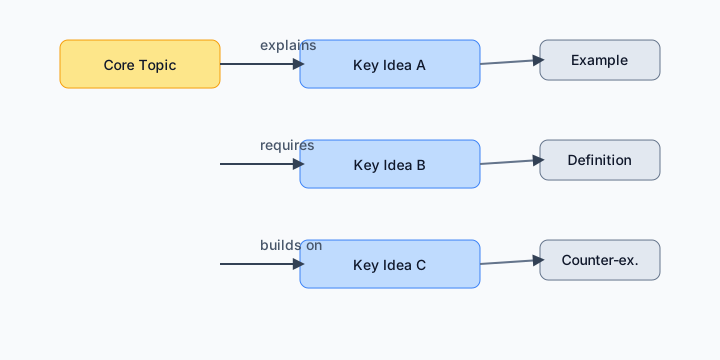
Fast Learnex workflow
- Generate & prune: Paste a video, let Learnex build the graph, then delete or merge anything that doesn’t support your goal. Keep 5–9 top-level nodes.
- Label the edges: Click each connection and rename it with a verb. If you can’t explain the verb, the connection probably shouldn’t exist.
- Anchor with evidence: Attach transcript timestamps or key moments to the nodes that matter. This is how you jump back to the source when you revisit the topic.
Patterns that keep maps useful
- Collapse duplicates ruthlessly—if two nodes serve the same purpose in your context, merge them.
- Color or tag examples and counter-examples so they stand out from core concepts.
- Save versions as you learn. Learnex lets you regenerate the map, but a snapshot shows how your understanding evolved.
Move it downstream
Once the graph feels right, export the study guide and mind map. Each major node should spawn a checkpoint question or practice prompt. That’s how concept mapping stops being pretty diagrams and starts driving retention.
Related: From Video to Study Guide · Summarizing YouTube for Learning